To access CapCut with a VPN:
- Download Swiss VPN free from the App Store — no account needed.
- Open the app and search for CapCut in the service selector.
- Tap connect — Swiss VPN picks the fastest optimized server.
- Open CapCut and start browsing.
What is CapCut?
CapCut is a free, professional-grade video editor by ByteDance (TikTok's parent company). It offers AI-powered effects, templates, transitions, and pro-level editing tools — used by millions of content creators worldwide. Because it is owned by ByteDance, CapCut may be restricted alongside TikTok in some regions.
Why use Swiss VPN for CapCut?
CapCut may be restricted in countries that ban TikTok and ByteDance apps. Swiss VPN lets you connect to a supported region and use all CapCut features.
Access where restricted
Connect to a server in a region where CapCut is available.
Cloud features access
Some CapCut cloud editing and AI features require a supported region connection.
Privacy while editing
Swiss VPN encrypts your traffic for complete privacy.
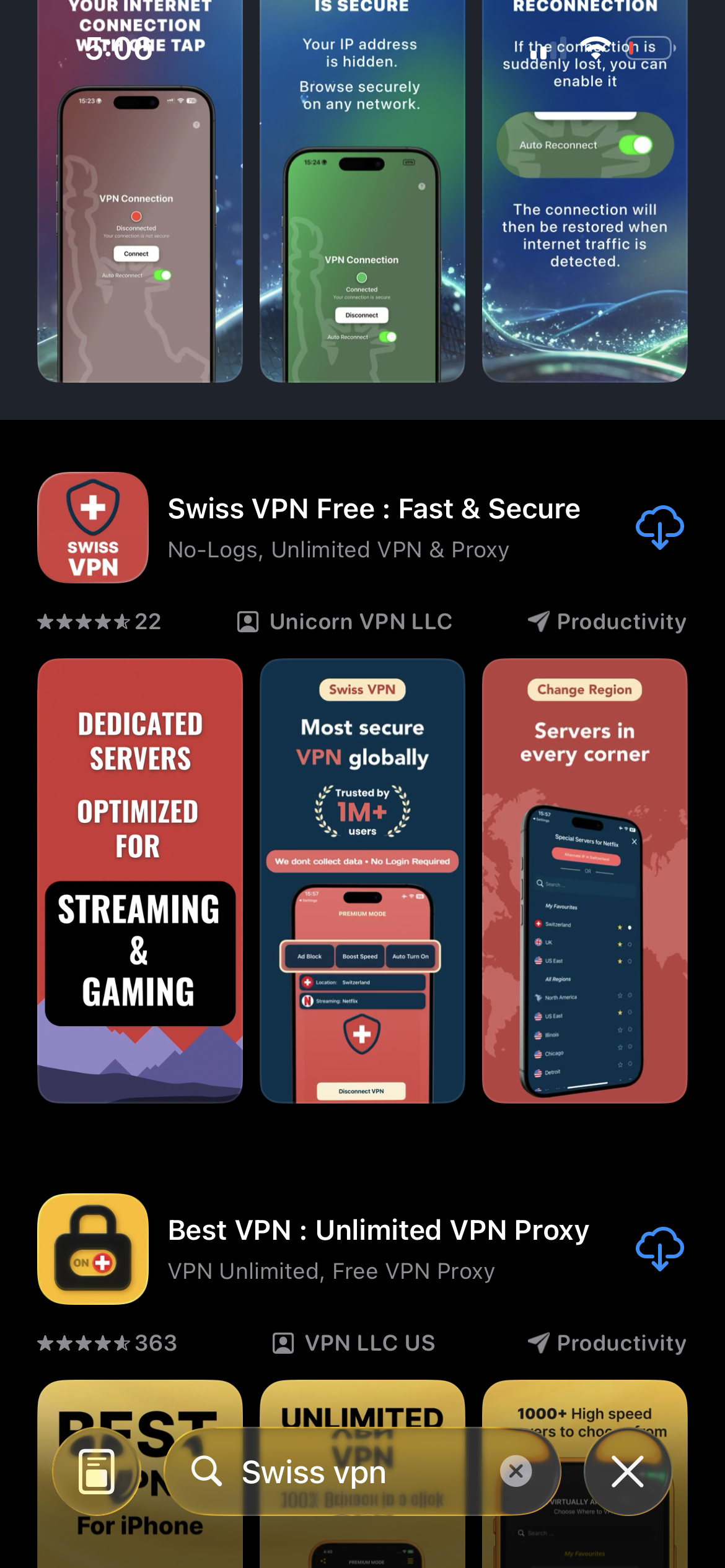
Download Swiss VPN
Search for "Swiss VPN" on the App Store and tap download. The app is completely free — no registration, no credit card, no personal information required.
- Available on iOS, iPadOS & macOS
- No registration required
- 100% free to download
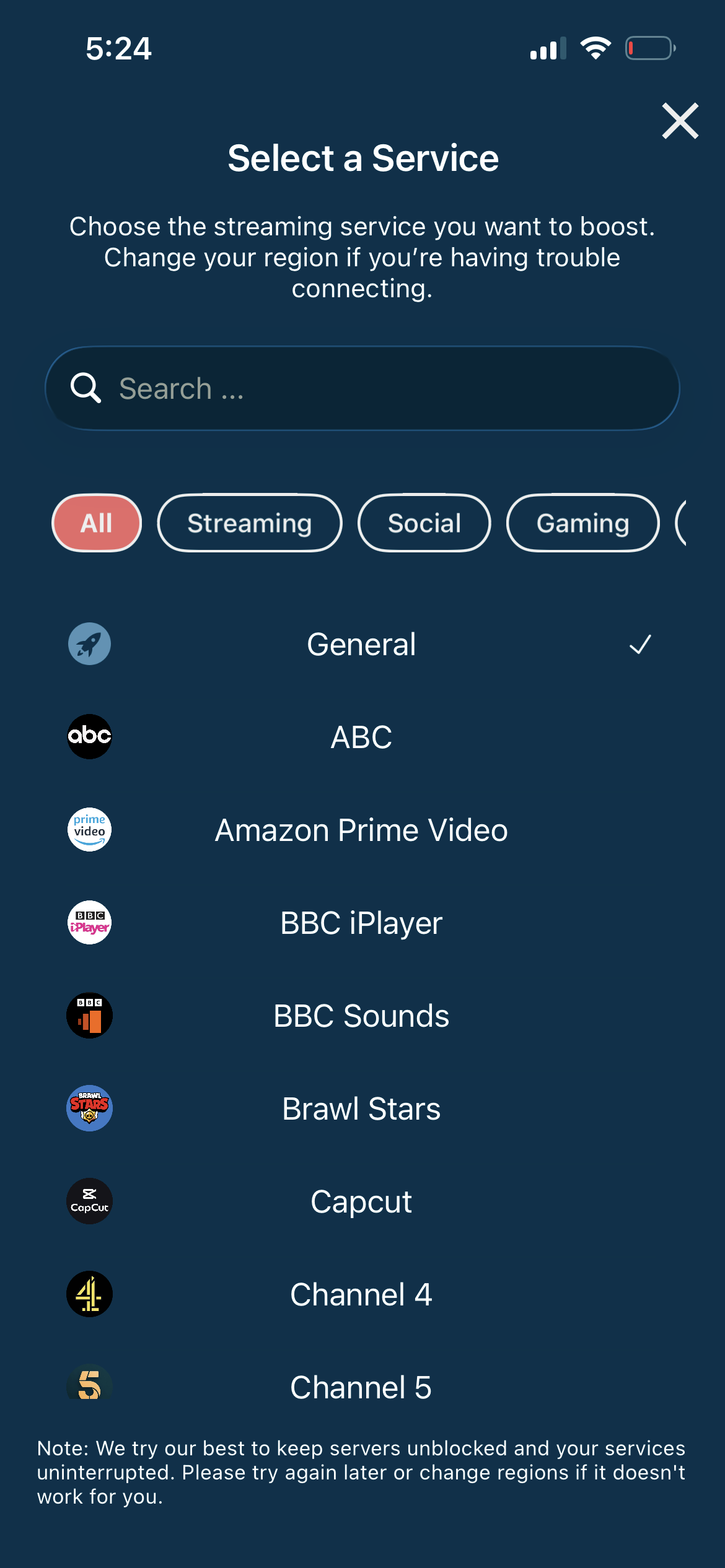
Connect to a supported region
Connect to a US or European server where CapCut is available. Swiss VPN ensures you can access all features.
- Connect to supported region
- One-tap connection
- Full feature access
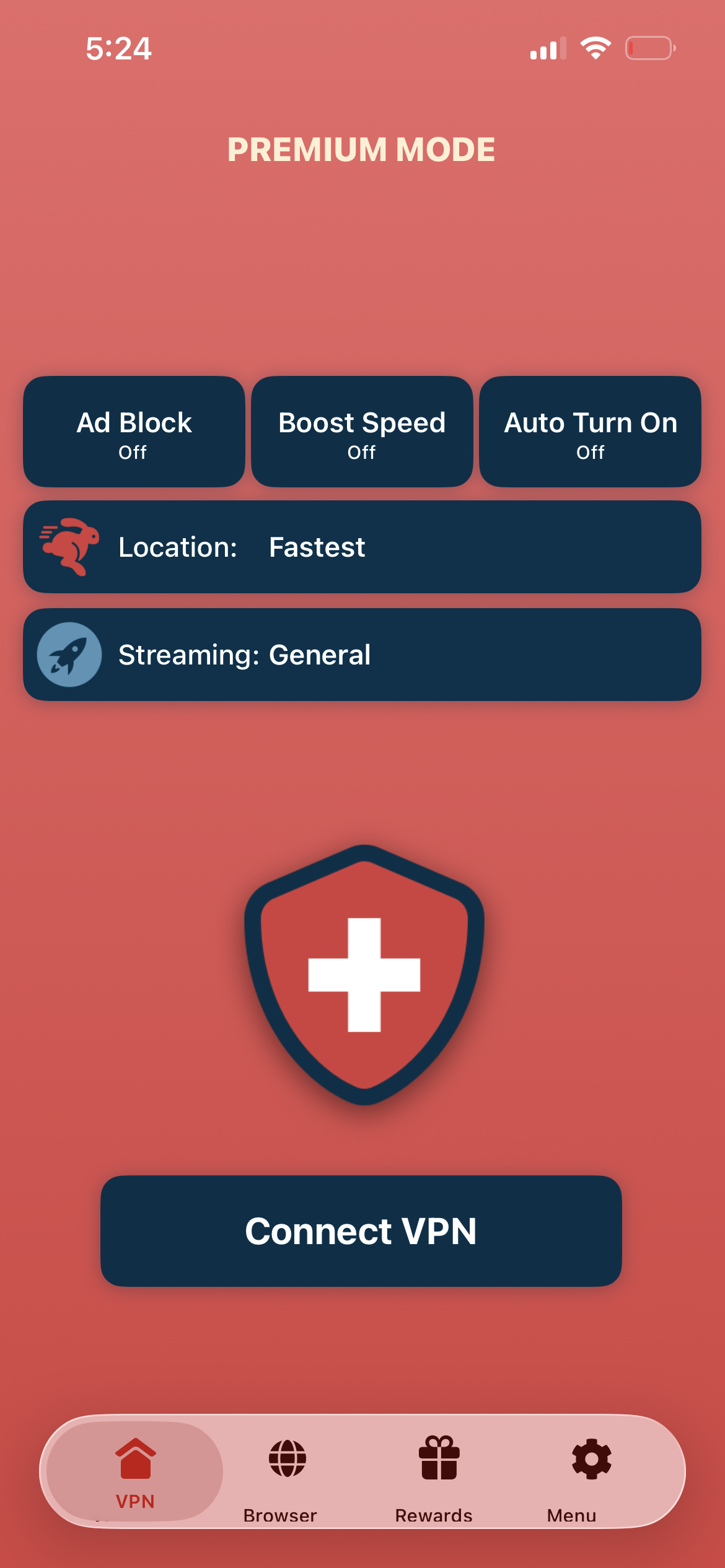
Tap connect, open CapCut
Tap "Connect VPN" and open CapCut — all editing features, AI effects, and cloud services are now available.
- Instant CapCut access
- All features unlocked
- Private editing
If CapCut features are limited
Try connecting to a US server. Some AI and cloud features may require a US or European connection. Restart CapCut after connecting.
Good to know
- VPN access depends on the platform's current policies and may change over time.
- Some features may require an account or paid subscription to the service.
- For the best speed, connect to the nearest available server.
Frequently Asked Questions
Is CapCut free?
Yes. CapCut is completely free with powerful editing tools and AI effects.
Why is CapCut restricted?
CapCut is owned by ByteDance (TikTok parent). Countries that ban TikTok may also restrict CapCut.
Which server should I use?
US or European servers typically provide full access to all CapCut features.
Do cloud features work with VPN?
Yes. Connecting to a supported region enables all cloud editing and AI features.
Ready to use CapCut?
Download Swiss VPN and access CapCut's full editing suite from anywhere.