To watch Discovery+ with a VPN:
- Download Swiss VPN free from the App Store — no account needed.
- Open the app and search for Discovery+ in the service selector.
- Tap connect — Swiss VPN picks the fastest optimized server.
- Open Discovery+ and start streaming.
What is Discovery+?
Discovery+ is Warner Bros. Discovery's streaming home for reality, lifestyle, nature, and true crime content. It features shows from HGTV, Food Network, TLC, Animal Planet, and Discovery Channel, plus exclusive originals. Content libraries vary between regions.
Why use Swiss VPN for Discovery+?
Discovery+ is available in many countries but with different content libraries. The US version typically has the most complete catalog. Swiss VPN lets you access any regional library.
Access any library
Connect to the US for the fullest catalog, or any other region for local content.
Encrypted connection
Swiss VPN encrypts your traffic for complete privacy.
HD streaming
Swiss VPN servers are optimized for smooth, buffer-free streaming.
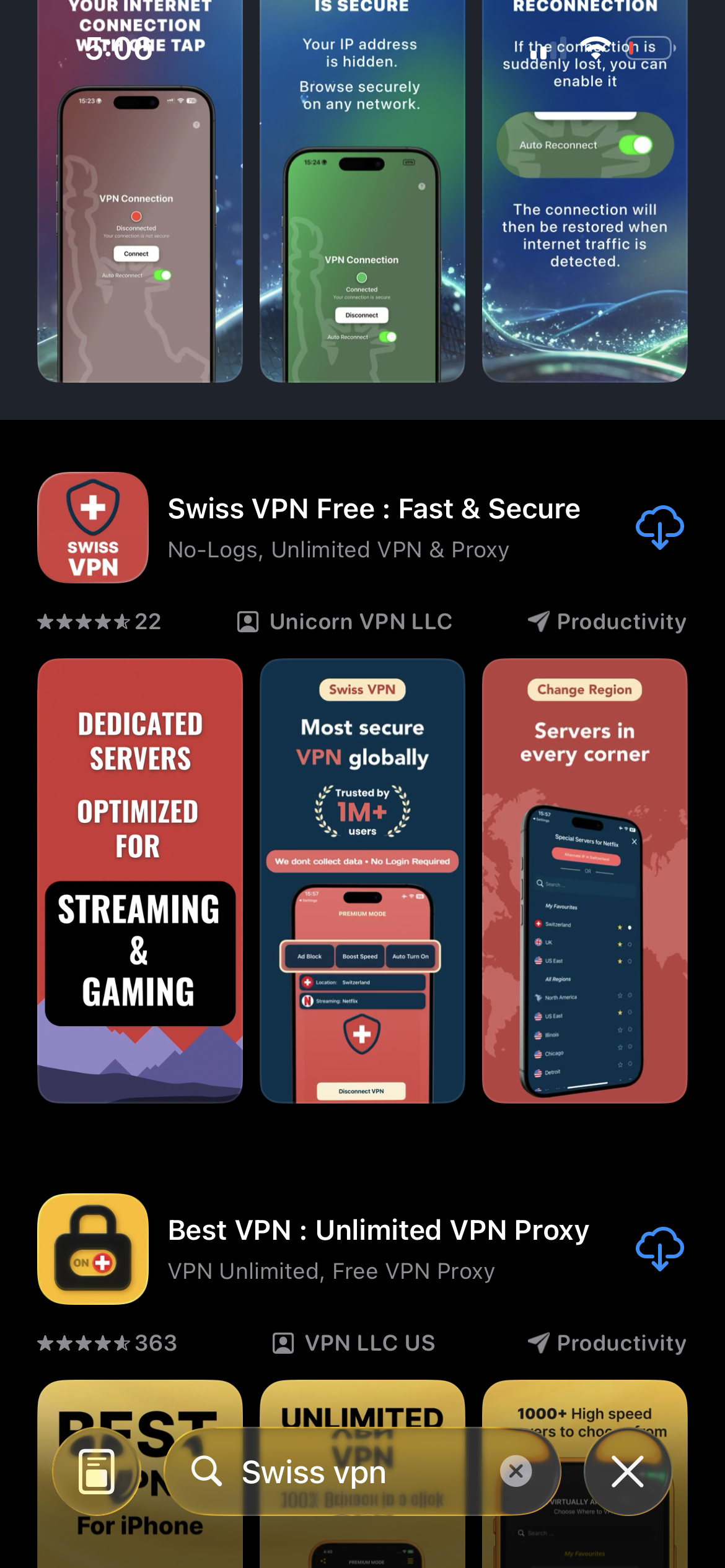
Download Swiss VPN
Search for "Swiss VPN" on the App Store and tap download. The app is completely free — no registration, no credit card, no personal information required.
- Available on iOS, iPadOS & macOS
- No registration required
- 100% free to download
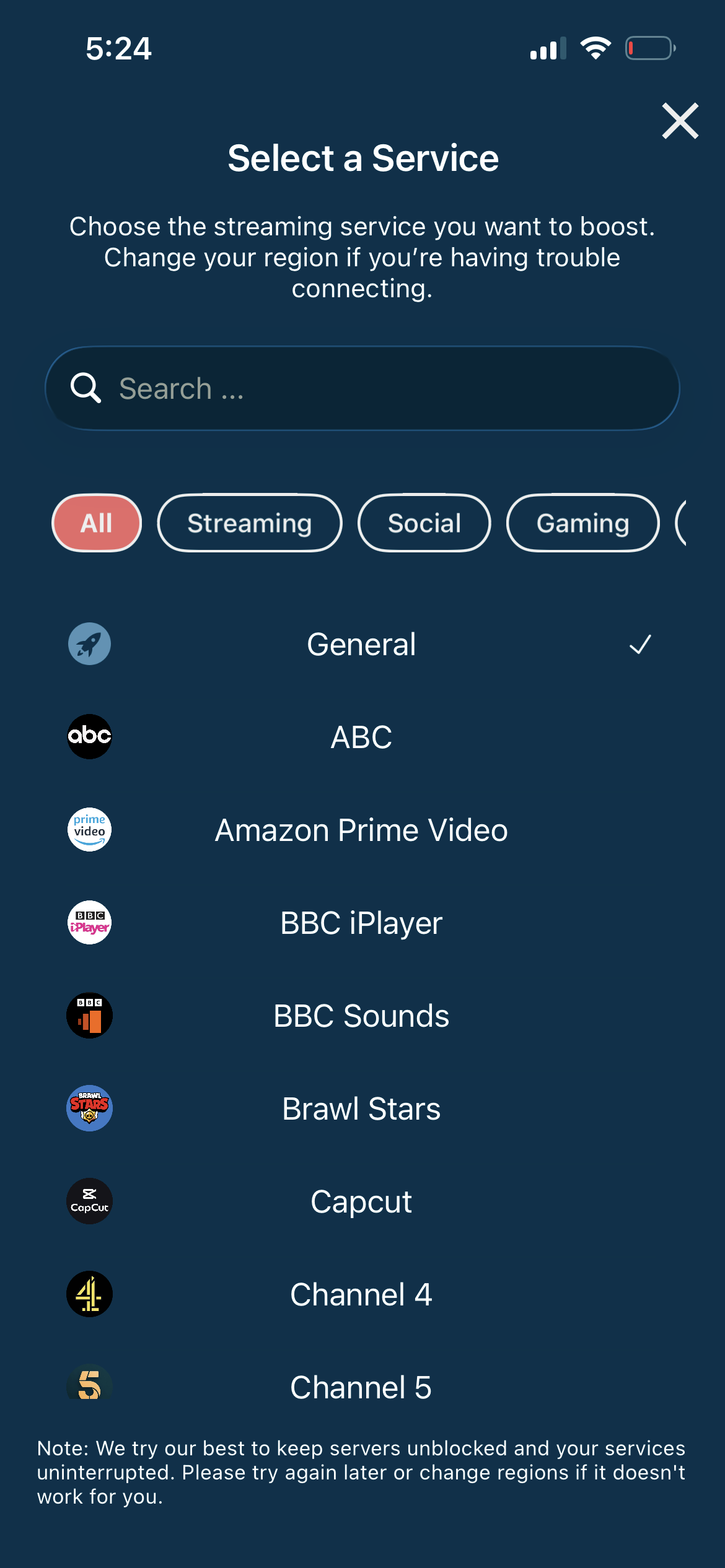
Search for Discovery+
Open the service selector and search for "Discovery+" or browse the Streaming category. Tap it and Swiss VPN connects to the best server.
- Auto-selects best region
- One-tap connection
- Dedicated optimized servers
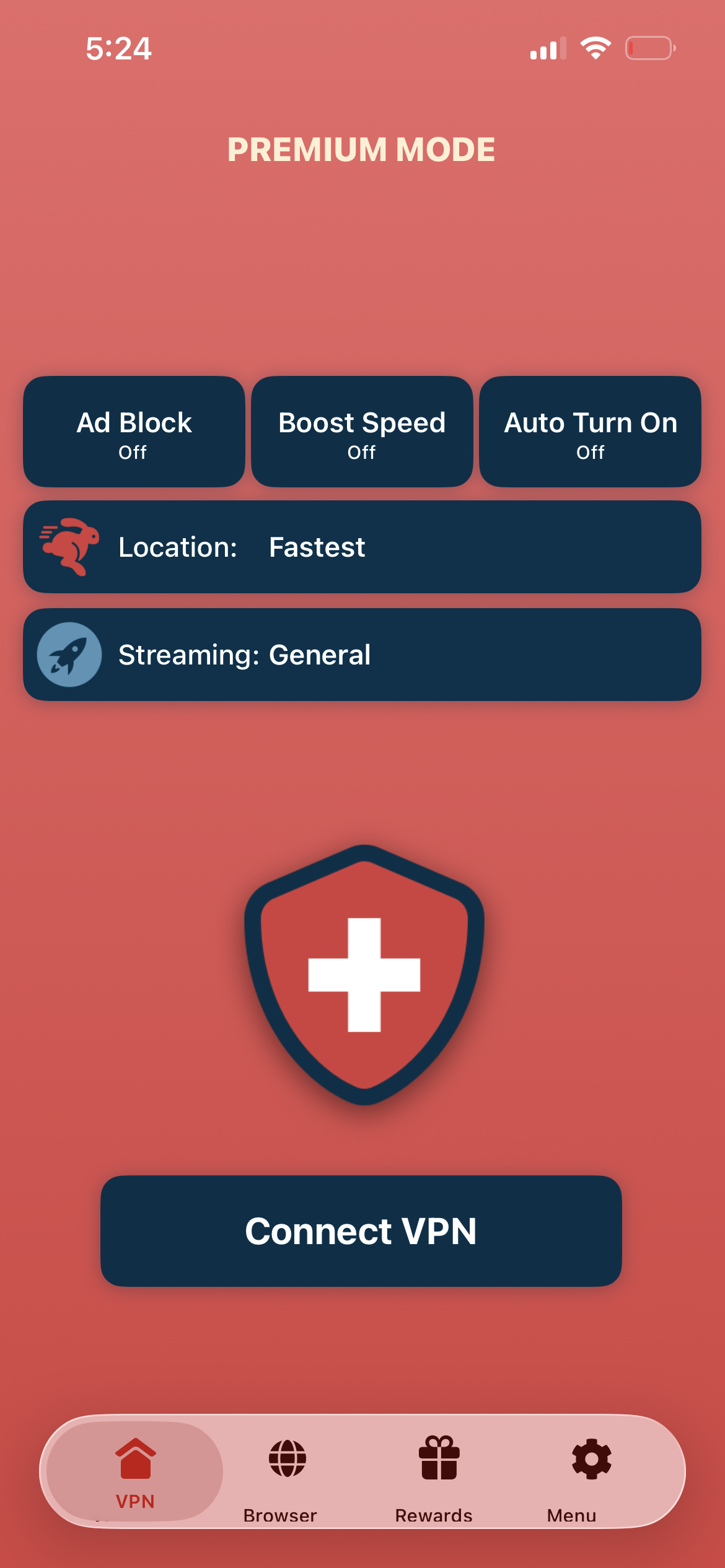
Tap connect, open Discovery+
Tap "Connect VPN" and wait for the connection to establish. Then open the Discovery+ app — the library matches your selected region.
- Instant Discovery+ access
- Encrypted & private connection
- Stream in HD
If Discovery+ shows the wrong content library
Disconnect from Swiss VPN, then reconnect to the correct region. Close and reopen the Discovery+ app. Clear the app cache if the wrong library persists.
Good to know
- VPN access depends on the service's current policies and may change over time.
- Some content may require a paid subscription to the streaming service itself.
- For the best experience, connect to the nearest recommended server.
Frequently Asked Questions
Is Discovery+ available worldwide?
Discovery+ is available in many countries, but content libraries differ significantly between regions.
What content is exclusive to Discovery+?
Discovery+ originals plus full seasons of HGTV, Food Network, TLC, Animal Planet, and Discovery Channel shows.
Can I watch Discovery+ on mobile?
Yes. Download Swiss VPN and the Discovery+ app, connect to your preferred region, and start streaming.
Will a VPN affect streaming quality?
No. Swiss VPN is optimized for HD streaming without buffering.
Ready to stream Discovery+?
Download Swiss VPN, connect to any region, and start watching reality, nature, and true crime content — from anywhere.