To watch Disney+ with a VPN:
- Download Swiss VPN free from the App Store — no account needed.
- Open the app and search for Disney+ in the service selector.
- Tap connect — Swiss VPN picks the fastest optimized server.
- Open Disney+ and start streaming.
What is Disney+?
Disney+ is The Walt Disney Company's streaming service, home to Marvel, Star Wars, Pixar, National Geographic, and classic Disney content. Available in 150+ countries, but with significantly different libraries per region — some Marvel and Star Wars titles are only available in certain markets.
Why use Swiss VPN for Disney+?
Disney+ is available in 150+ countries but with significantly different libraries. Some Marvel, Star Wars, and National Geographic titles are exclusive to certain regions. Swiss VPN lets you access any regional library.
Access any library
Connect to the right region to unlock the Disney+ catalog you want.
Encrypted connection
Swiss VPN encrypts your traffic for complete streaming privacy.
Fast for 4K
Optimized servers for smooth 4K HDR and IMAX Enhanced playback.
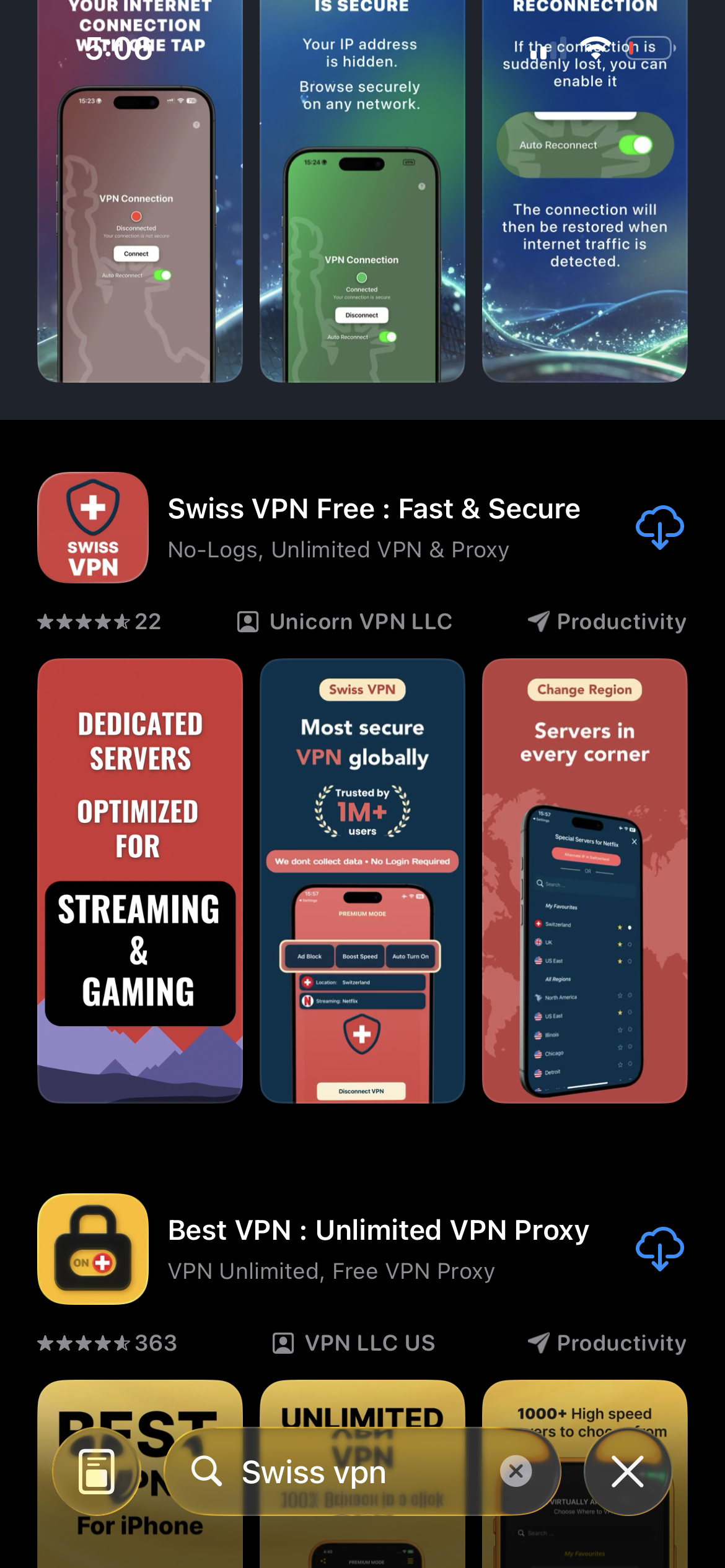
Download Swiss VPN
Search for "Swiss VPN" on the App Store and tap download. The app is completely free — no registration, no credit card, no personal information required.
- Available on iOS, iPadOS & macOS
- No registration required
- 100% free to download
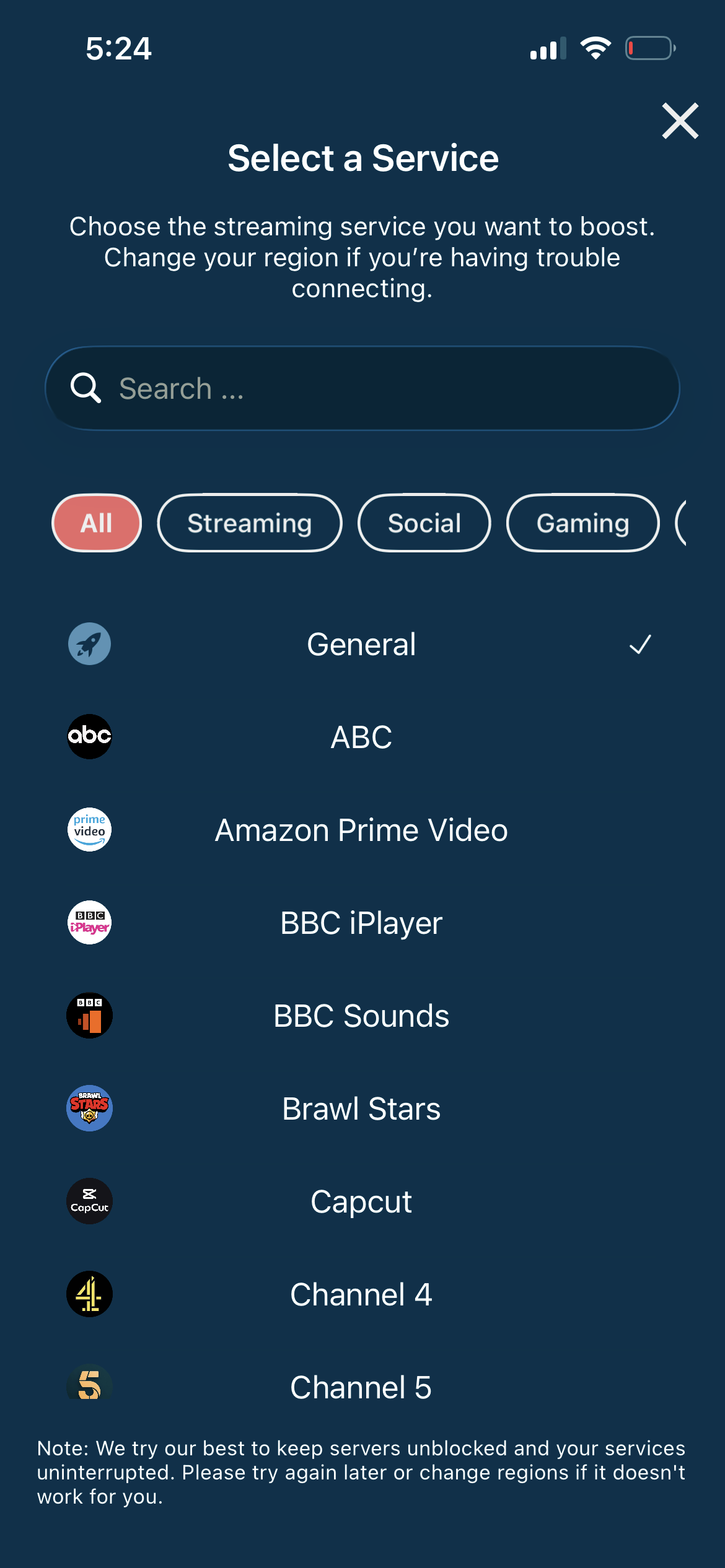
Search for Disney+
Open the service selector and search for "Disney+" or browse the Streaming category. Tap it and Swiss VPN connects to the best server.
- Auto-selects best region
- One-tap connection
- Optimized for streaming
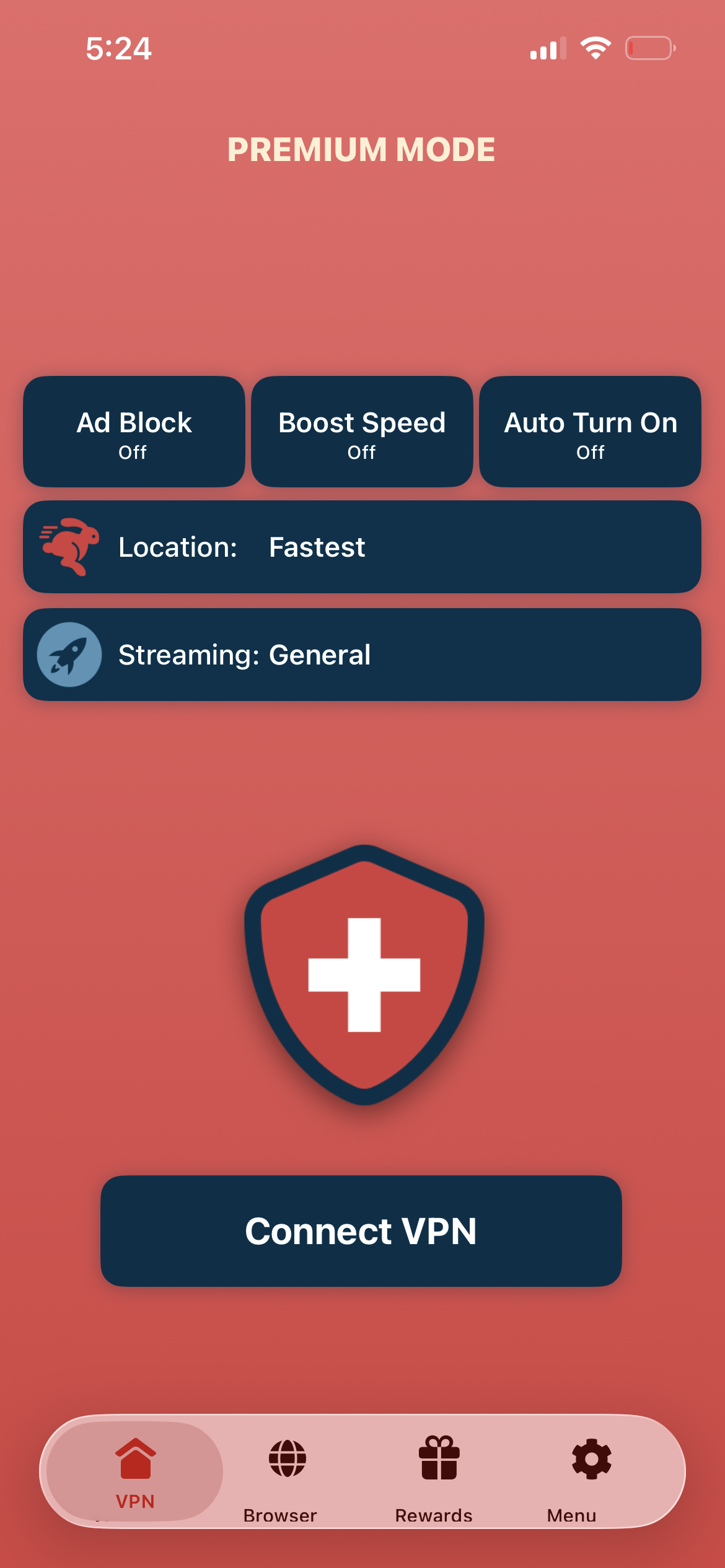
Tap connect, open Disney+
Tap "Connect VPN" and open the Disney+ app — Marvel, Star Wars, Pixar, and more are ready to stream.
- Instant Disney+ access
- Encrypted connection
- Full catalog unlocked
If Disney+ shows a region error
Disconnect, reconnect to a different server in the desired region, and reopen the Disney+ app. Clear cookies or app cache if the error persists.
Good to know
- VPN access depends on the service's current policies and may change over time.
- Some content may require a paid subscription to the streaming service itself.
- For the best experience, connect to the nearest recommended server.
Frequently Asked Questions
Does Disney+ differ by country?
Yes. Disney+ content libraries vary significantly by region. Some Marvel and Star Wars titles are only available in certain markets.
Is GroupWatch available everywhere?
GroupWatch availability is region-dependent. Connect to a supported region to use the feature.
Can I watch in 4K with a VPN?
Yes. Swiss VPN servers are optimized for high-speed streaming, supporting 4K HDR and IMAX Enhanced content.
What about Hotstar vs Disney+?
Disney+ Hotstar has been merged into Disney+ in some regions. The content catalog depends on your connected region.
Ready to stream Disney+?
Download Swiss VPN, connect to your preferred region, and unlock the full Disney+ catalog — from anywhere.