To watch SkyShowtime with a VPN:
- Download Swiss VPN free from the App Store — no account needed.
- Open the app and search for SkyShowtime in the service selector.
- Tap connect — Swiss VPN picks the fastest optimized server.
- Open SkyShowtime and start streaming.
What is SkyShowtime?
SkyShowtime is a streaming service from Comcast and Paramount, available in select European countries. It combines content from Peacock, Paramount+, Sky Studios, Showtime, and Nickelodeon — offering a massive library of shows and movies. SkyShowtime is only available in about 20 European markets.
Why use Swiss VPN for SkyShowtime?
SkyShowtime is only available in about 20 European countries. If you are outside those markets, Swiss VPN lets you connect to a supported European server.
Access from unsupported regions
Connect to a supported European server and unlock SkyShowtime.
Encrypted connection
Swiss VPN encrypts your traffic for complete privacy.
HD streaming
Optimized servers ensure smooth, buffer-free playback.
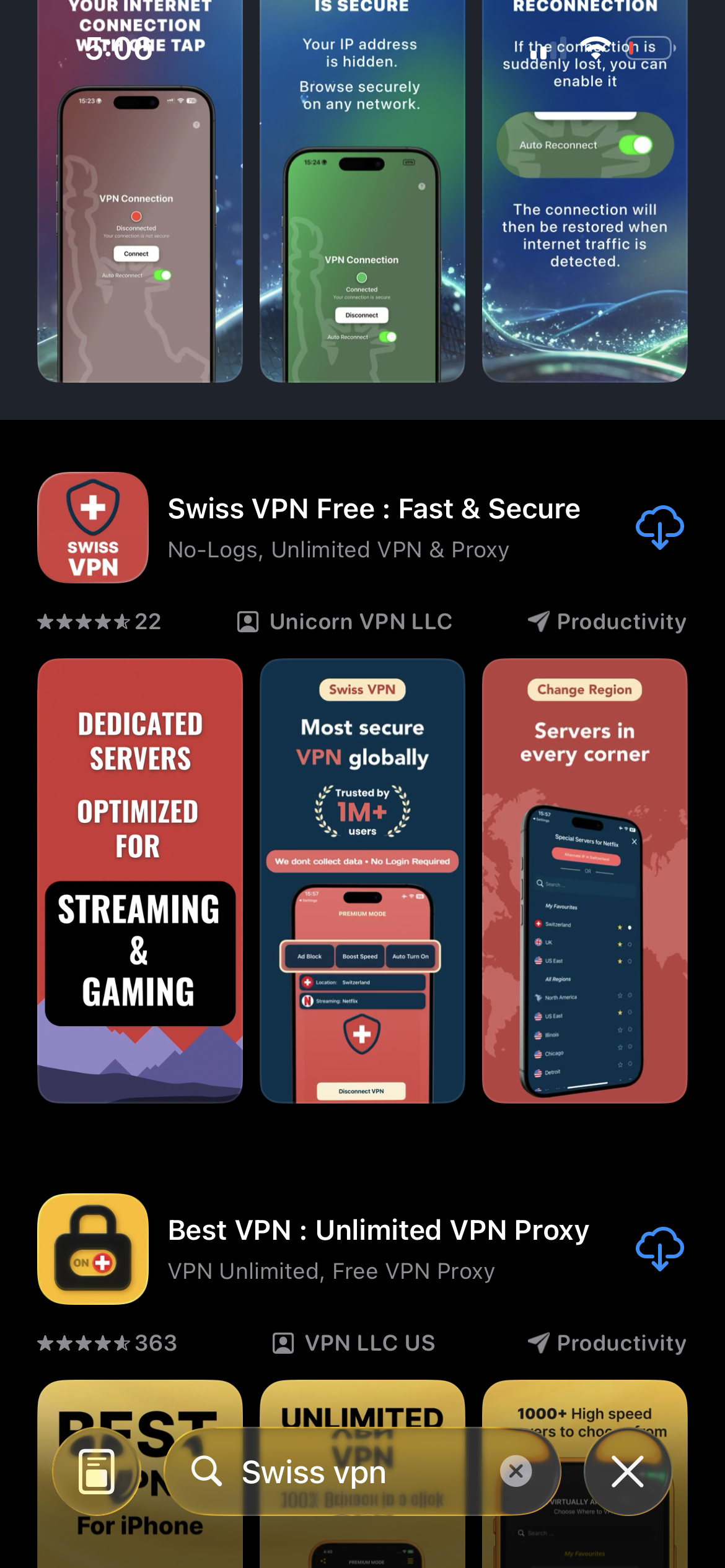
Download Swiss VPN
Search for "Swiss VPN" on the App Store and tap download. The app is completely free — no registration, no credit card, no personal information required.
- Available on iOS, iPadOS & macOS
- No registration required
- 100% free to download
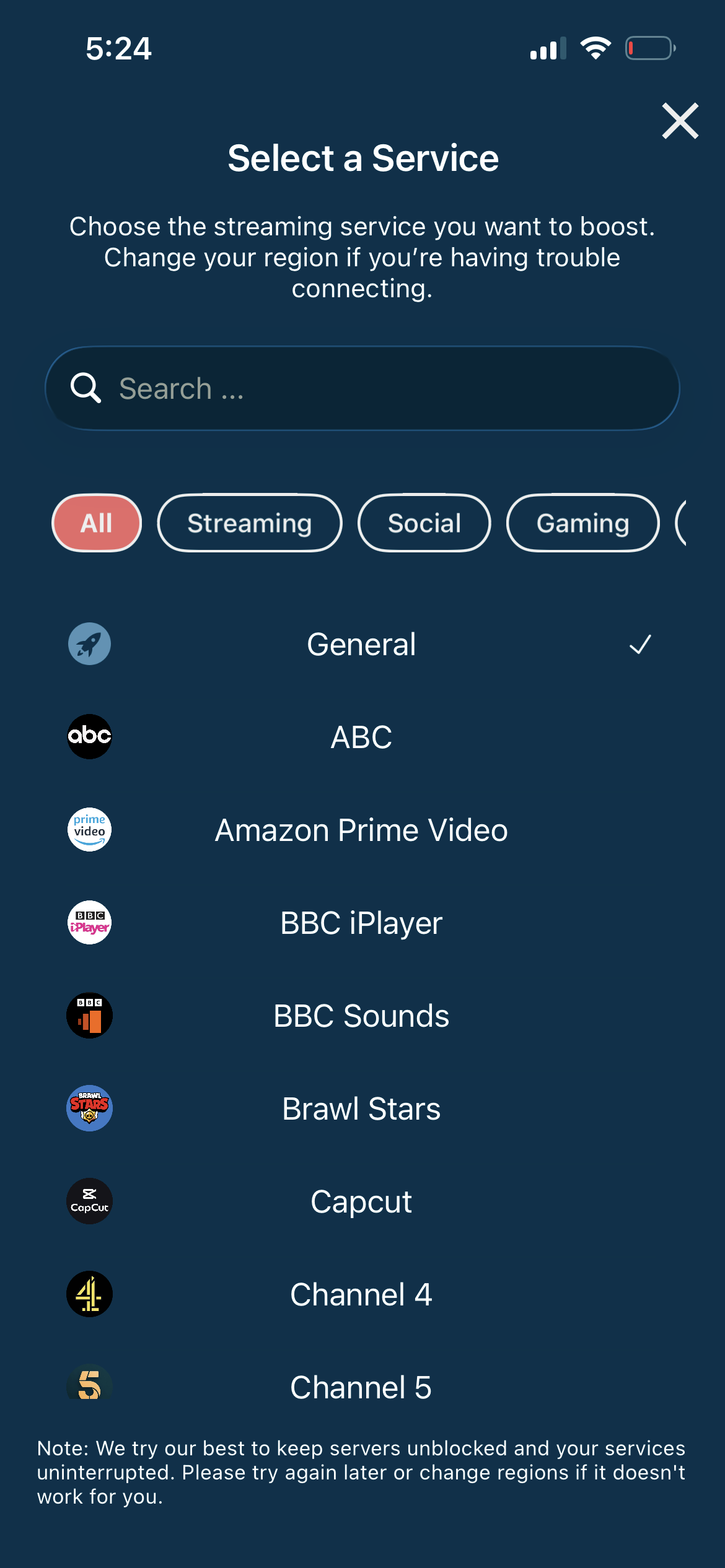
Search for SkyShowtime
Open the service selector and search for "SkyShowtime" or browse the Streaming category. Tap it and Swiss VPN connects to the best server.
- Auto-selects best European server
- One-tap connection
- Optimized for SkyShowtime
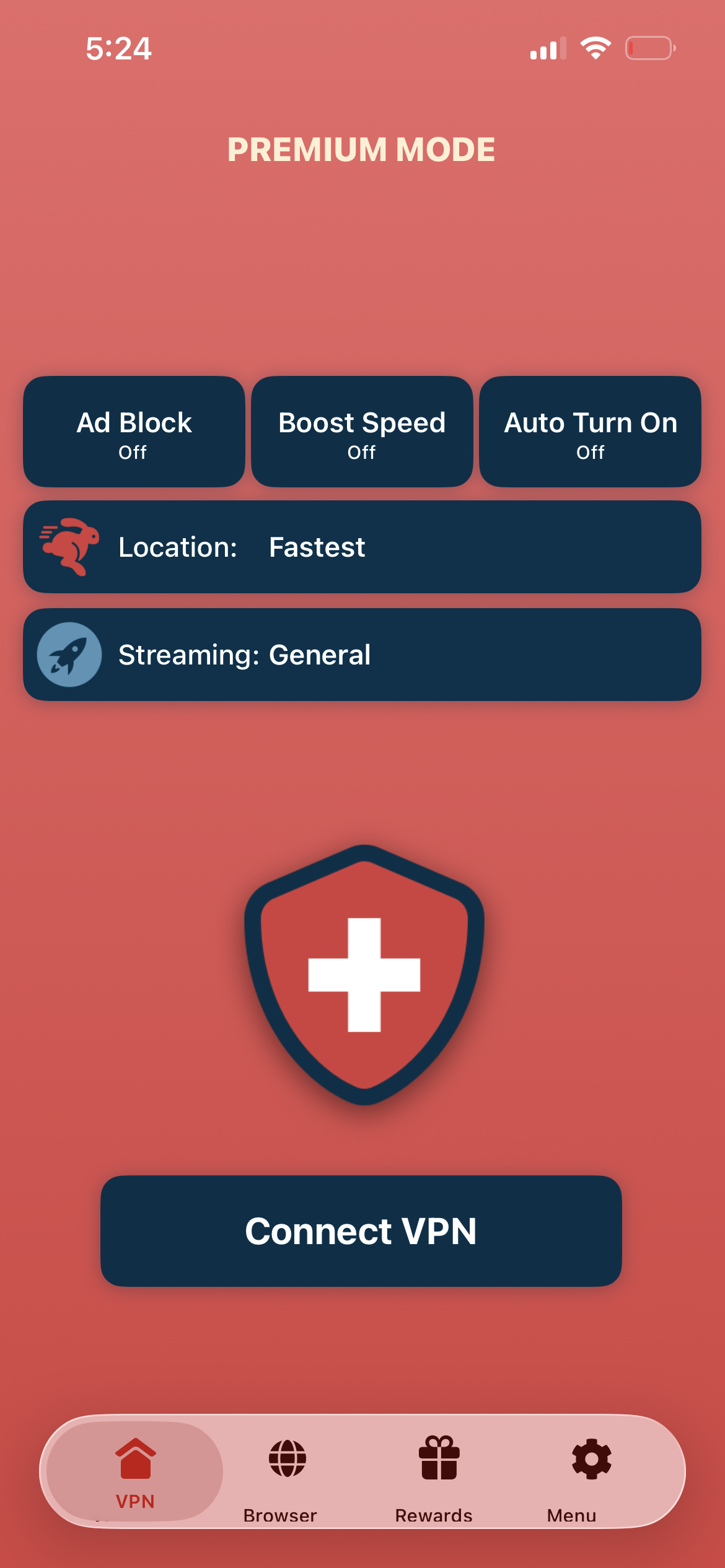
Tap connect, open SkyShowtime
Tap "Connect VPN" and wait for the connection. Then open the SkyShowtime app — Peacock, Paramount+, and Sky content is available.
- Instant SkyShowtime access
- Encrypted connection
- Premium content library
If SkyShowtime shows a region error
Disconnect, reconnect to a different supported European server, and reopen the app. Try Netherlands, Spain, or Poland servers.
Good to know
- VPN access depends on the service's current policies and may change over time.
- Some content may require a paid subscription to the streaming service itself.
- For the best experience, connect to the nearest recommended server.
Frequently Asked Questions
Where is SkyShowtime available?
SkyShowtime is available in about 20 European countries including Netherlands, Spain, Poland, Sweden, and more.
What content does SkyShowtime have?
It combines Peacock, Paramount+, Sky Studios, Showtime, and Nickelodeon content.
Do I need a subscription?
Yes. SkyShowtime is a paid streaming service.
Can I access SkyShowtime from the US?
Not normally, but connecting to a supported European server with Swiss VPN unlocks it.
Ready to stream SkyShowtime?
Download Swiss VPN, connect to a European server, and enjoy Peacock, Paramount+, and Sky content — from anywhere.