To connect to a VPN in China:
- Download Swiss VPN free from the App Store — no account needed.
- Open the app and select a China server from the server list.
- Tap connect — Swiss VPN picks the fastest China server.
- Browse from China and start browsing.
Why connect to China?
China's Great Firewall blocks many international websites and services including Google, YouTube, Facebook, WhatsApp, and most Western social media. If you are traveling to China or need access to Chinese content, a VPN is essential for maintaining connectivity to the global internet.
Why use Swiss VPN for China?
The Great Firewall blocks Google, YouTube, WhatsApp, and most Western services. Swiss VPN uses advanced protocols to maintain connectivity, letting you stay connected to the global internet while in China.
Access global internet
Bypass the Great Firewall and access Google, YouTube, social media, and international websites.
Encrypted connection
Swiss VPN encrypts your traffic for complete privacy — essential in China.
Optimized routes
Servers near China are optimized for the best performance through the Great Firewall.
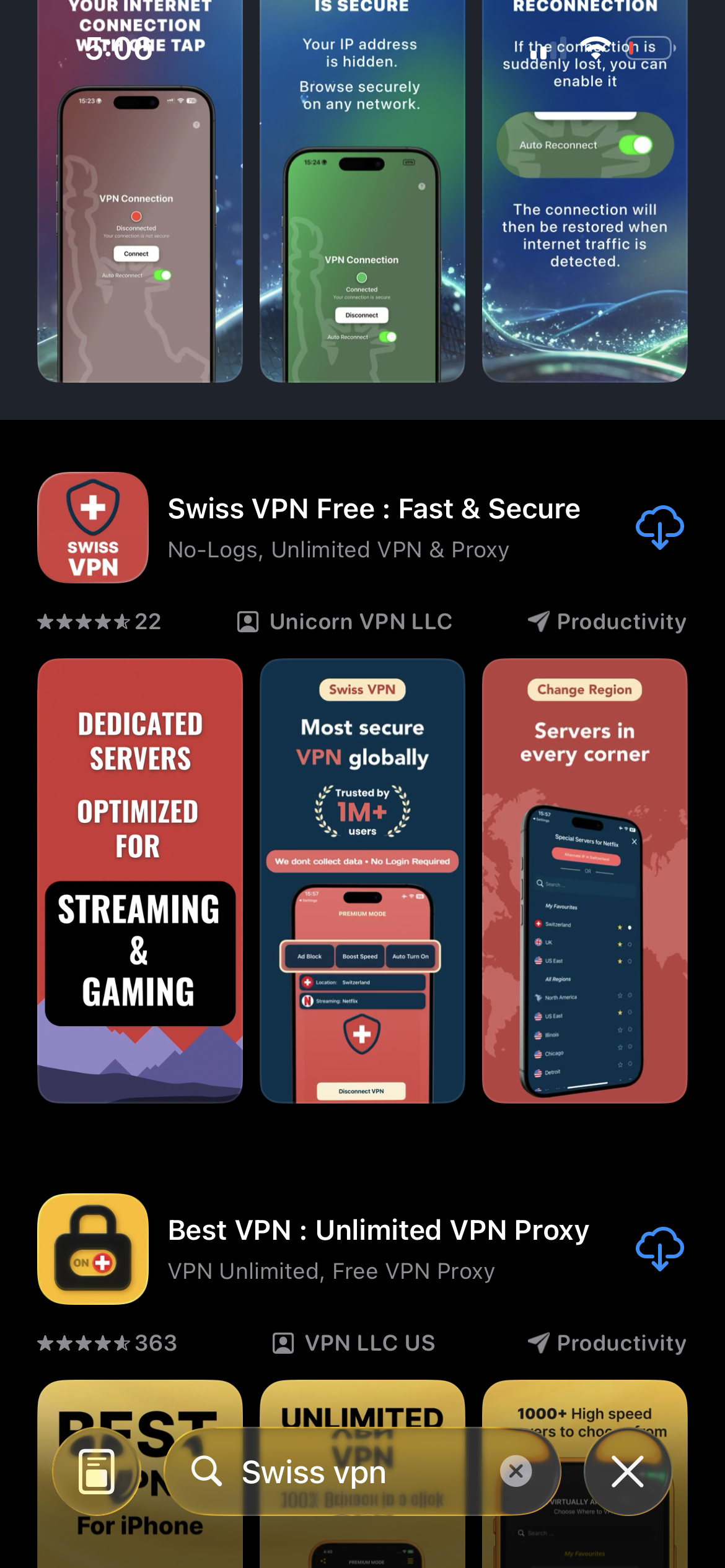
Download Swiss VPN
Search for "Swiss VPN" on the App Store and tap download. The app is completely free — no registration, no credit card, no personal information required.
- Available on iOS, iPadOS & macOS
- No registration required
- 100% free to download
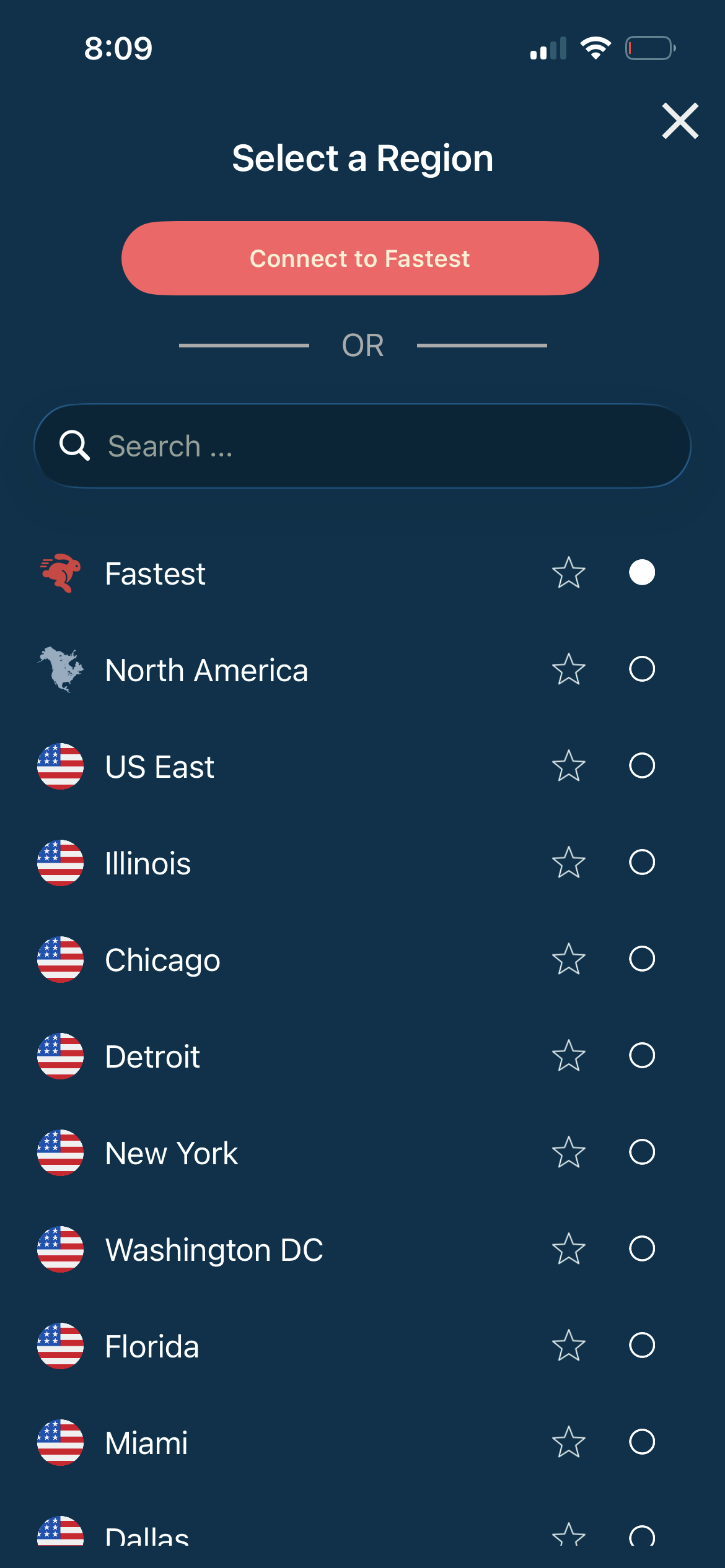
Select a China-optimized server
Open the server list and select a server near China (Hong Kong, Japan, or Singapore). These servers are optimized for connectivity through the Great Firewall.
- Nearby optimized servers
- Auto-selects fastest route
- Advanced protocols
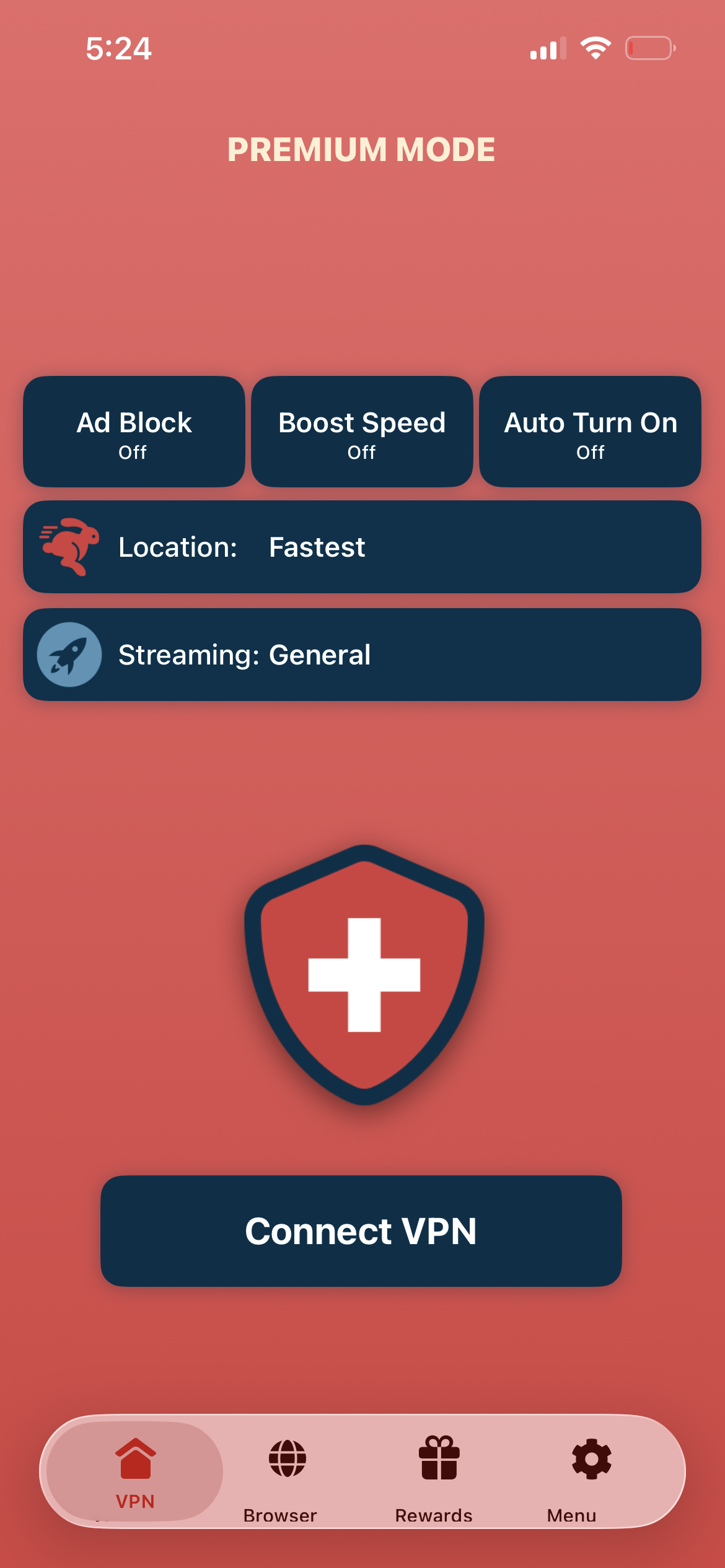
Tap connect, browse from China
Tap "Connect VPN" and wait for the connection to establish. You can now access Google, YouTube, WhatsApp, and the global internet — even while in China.
- Global internet access
- Encrypted & private connection
- Bypass the Great Firewall
If the connection is slow or not working
Try a different nearby server (Hong Kong, Japan, or Singapore). The Great Firewall can affect performance — try connecting during off-peak hours for the best speed. You can also tap the Alternate IP button in the app to switch to a different server in the same region without disconnecting.
Good to know
- VPN access depends on server availability and may change over time.
- Some local services may require a local account or subscription.
- For the best speed, connect to the nearest available server.
Frequently Asked Questions
Is using a VPN legal in China?
VPN usage by individuals in China exists in a gray area. Many expats and travelers use VPNs daily. Swiss VPN uses advanced protocols to maintain connectivity.
Which server should I use in China?
Servers in Hong Kong, Japan, and Singapore provide the best connectivity for users in China.
Can I access Google in China with a VPN?
Yes. Connect to a VPN server and access Google, Gmail, YouTube, and all Google services.
Should I install the VPN before going to China?
Yes. Download and set up Swiss VPN before arriving in China, as VPN app downloads may be restricted.
Ready to connect in China?
Download Swiss VPN before your trip — stay connected to the global internet while in China.