To connect to a VPN in Spain:
- Download Swiss VPN free from the App Store — no account needed.
- Open the app and select a Spain server from the server list.
- Tap connect — Swiss VPN picks the fastest Spain server.
- Browse from Spain and start browsing.
Why connect to Spain?
Spain offers RTVE, Movistar+, Atresplayer, and La Liga football streaming. Many Spanish platforms are geo-restricted. A VPN connection to Spain gives you a Spanish IP address to access all of this from abroad.
Why use Swiss VPN for Spain?
Spanish streaming services like RTVE and Movistar+ are geo-restricted. Swiss VPN gives you a Spanish IP so you can access them — with full encryption.
Access Spanish content
Get a Spanish IP and access RTVE, Movistar+, Atresplayer, and La Liga.
Encrypted connection
Swiss VPN encrypts your traffic for complete privacy.
Fast Spanish servers
Optimized servers in Spain provide smooth streaming.
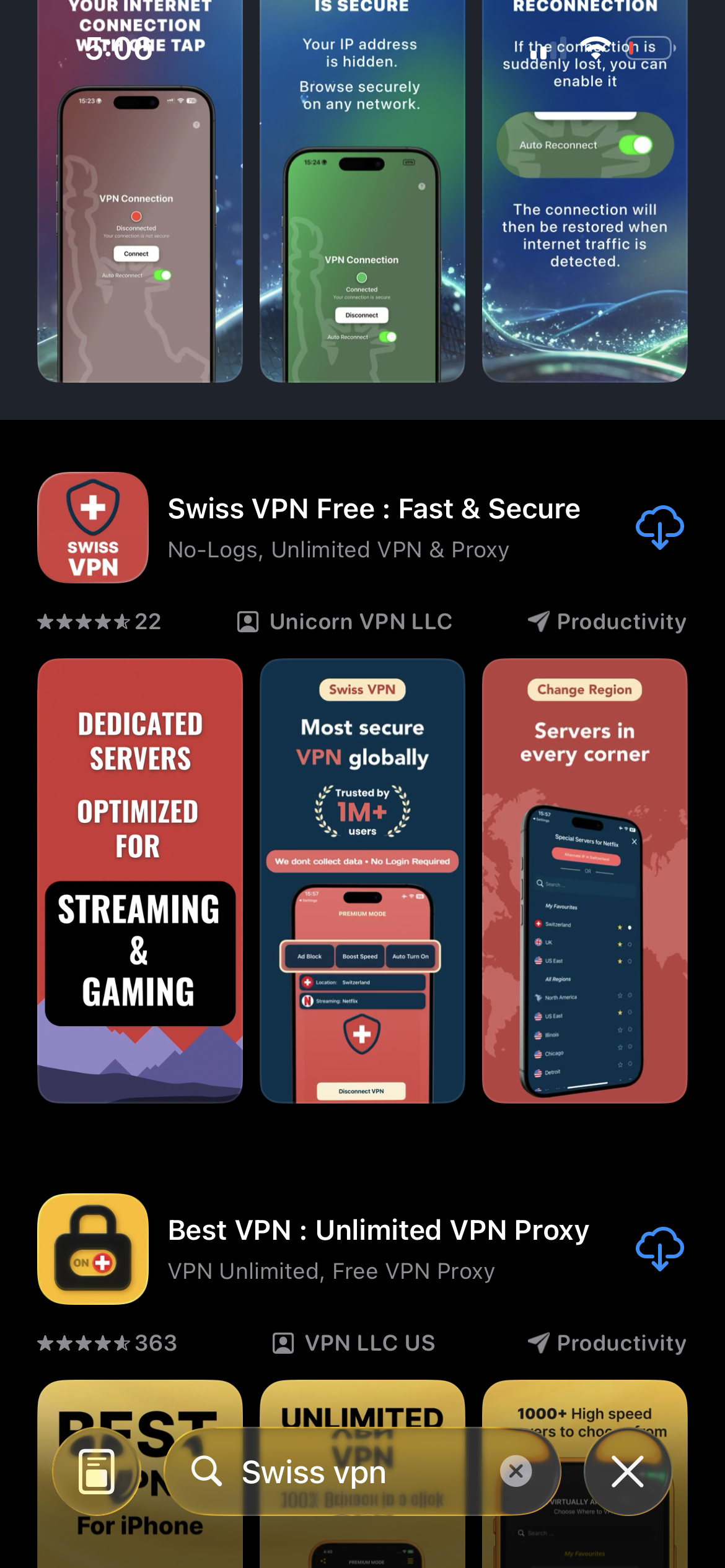
Download Swiss VPN
Search for "Swiss VPN" on the App Store and tap download. The app is completely free — no registration, no credit card, no personal information required.
- Available on iOS, iPadOS & macOS
- No registration required
- 100% free to download
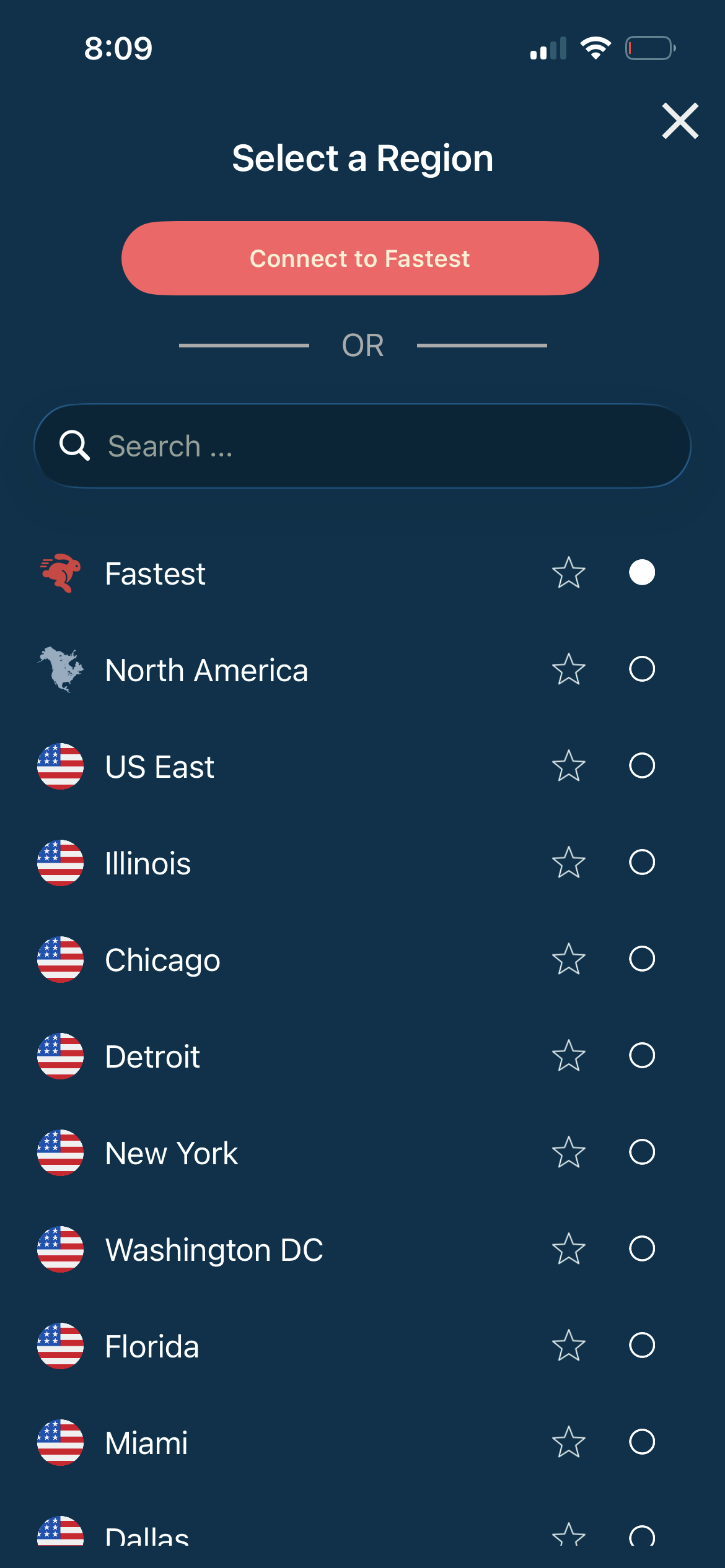
Select a Spain server
Open the server list, search for "Spain" or browse by region. Tap to connect to the fastest Spain server.
- Multiple Spain city servers
- Auto-selects fastest
- Low latency
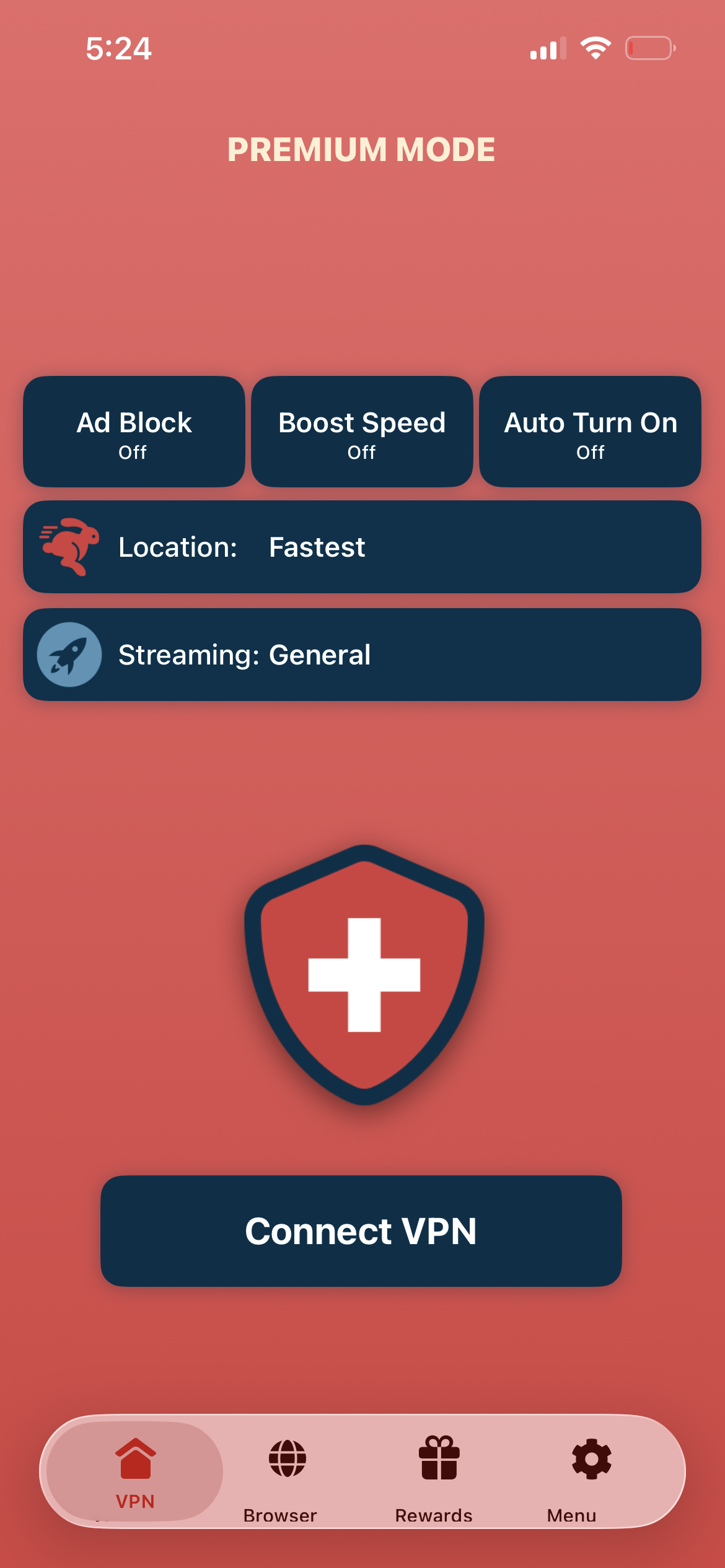
Tap connect, browse from Spain
Tap "Connect VPN" and wait for the connection to establish. You now have a Spanish IP address — stream RTVE, Movistar+, and browse Spanish content.
- Spanish IP address assigned
- Encrypted & private connection
- Access Spain-only content
If the connection is slow or not working
Try a different city server in Spain. Madrid and Barcelona servers are typically the fastest. You can also tap the Alternate IP button in the app to switch to a different server in the same region without disconnecting.
Good to know
- VPN access depends on server availability and may change over time.
- Some local services may require a local account or subscription.
- For the best speed, connect to the nearest available server.
Frequently Asked Questions
Is using a VPN legal in Spain?
Yes. VPN usage is completely legal in Spain.
Which Spain city server should I choose?
Madrid and Barcelona are the most popular choices.
Can I watch La Liga from abroad?
Yes. Connect to a Spanish server and access La Liga streaming platforms.
What can I access with a Spain VPN?
RTVE, Movistar+, Atresplayer, DAZN Spain, La Liga, and geo-restricted Spanish content.
Ready to connect to Spain?
Download Swiss VPN and get a Spanish IP address in one tap — access Spanish content from anywhere.