To use Telegram with a VPN:
- Download Swiss VPN free from the App Store — no account needed.
- Open the app and pick Telegram from the service selector.
- Tap connect — Swiss VPN routes Telegram through an optimized server.
- Open Telegram and use chats, channels and calls as usual.
What is Telegram?
Telegram is a cloud-based messenger with more than 950 million monthly active users. It combines one-to-one chats, group chats of up to 200,000 members, public channels with unlimited reach, voice and video calls, and optional end-to-end encrypted Secret Chats. Because channels make it one of the main ways news and protest content spread, Telegram has faced repeated blocks and slow-downs in countries like Russia, Iran and China.
Why use Swiss VPN for Telegram?
Whether Telegram is blocked in your country, throttled by your mobile carrier, or the channel you want to read is geoblocked, Swiss VPN gives you a stable route back in — without touching your existing account.
Access where blocked
Connect to a server in a region where Telegram is unrestricted to restore full access.
Reach restricted channels
Open channels and bots that are blocked in your country by connecting from an allowed region.
Hide usage from your ISP
Your carrier or Wi-Fi admin can no longer see that you are using Telegram or when you are active.
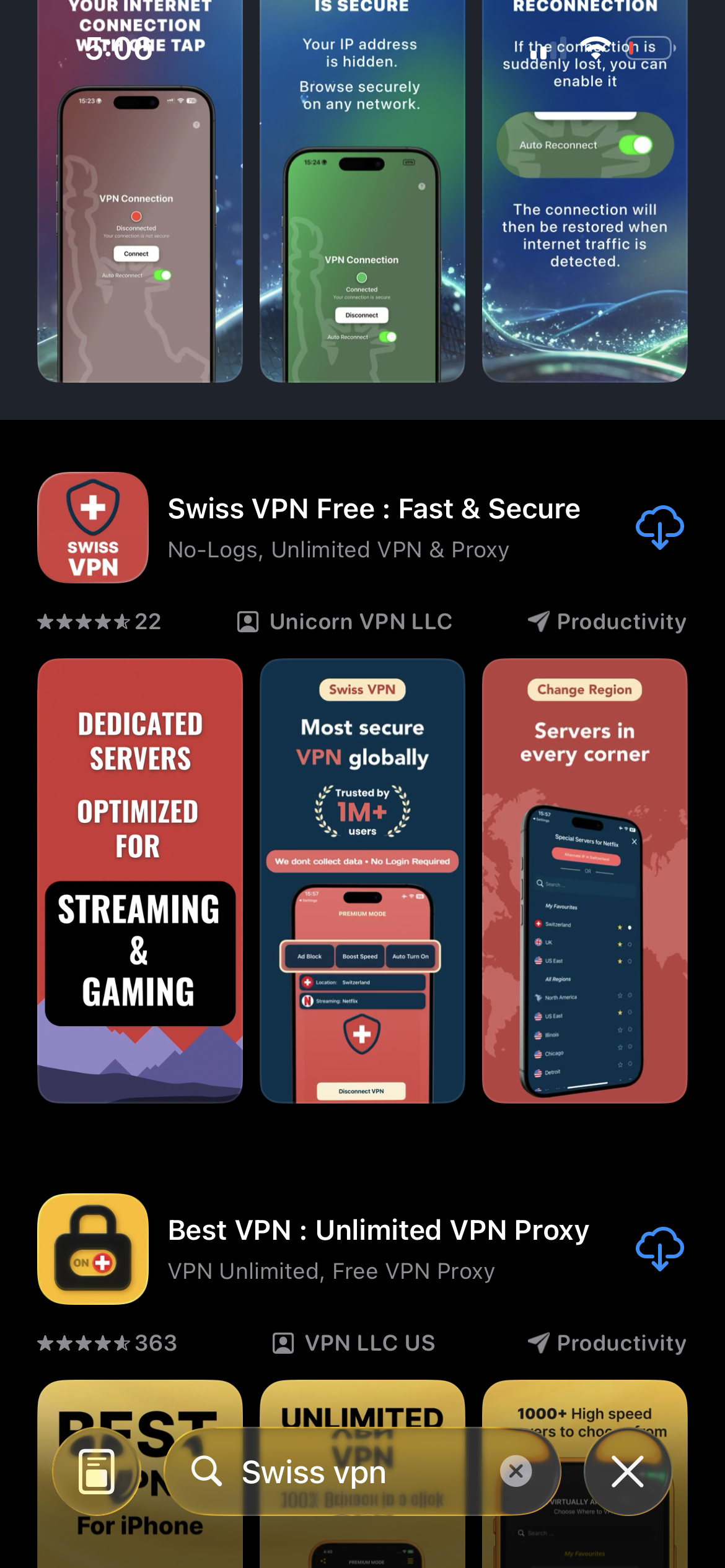
Download Swiss VPN
Search for "Swiss VPN" on the App Store and tap download. The app is completely free — no registration, no credit card, no personal information required.
- Available on iOS, iPadOS & macOS
- No registration required
- 100% free to download
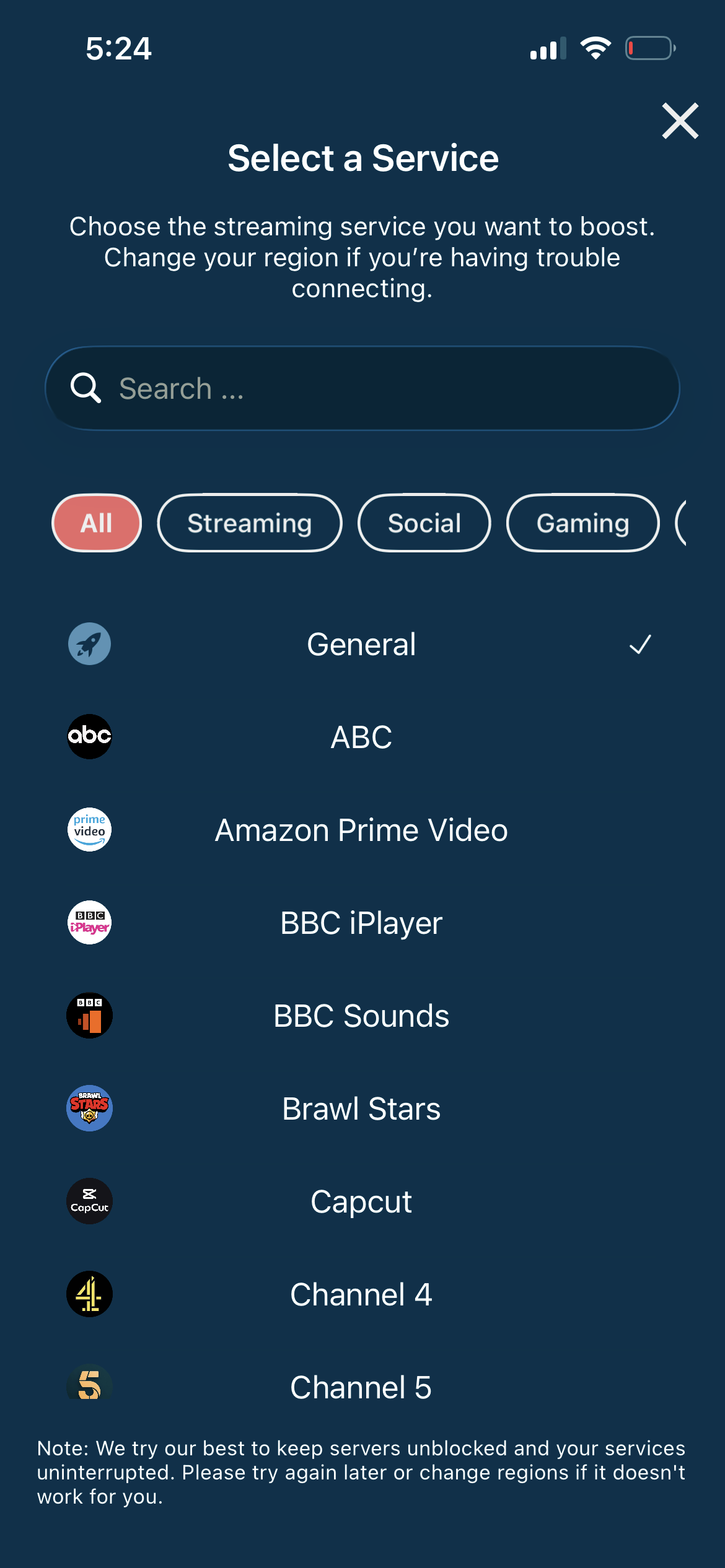
Pick Telegram in the selector
Swiss VPN has Telegram in its optimized-services list, so traffic is routed through a server known to keep Telegram's chat, channel and call traffic working.
- Server tuned for Telegram
- Stable route for channels and calls
- One tap — no manual config
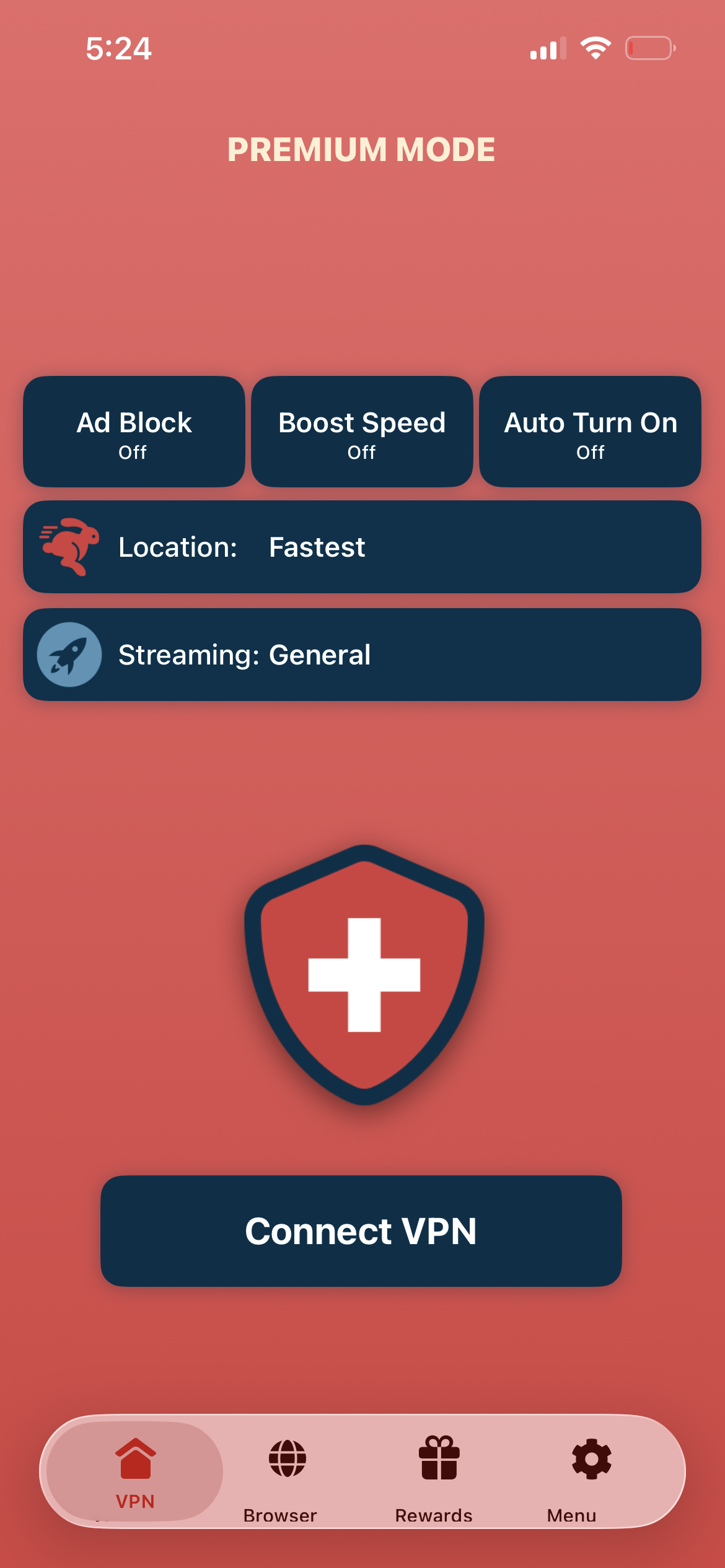
Tap connect, open Telegram
Tap "Connect VPN" and open Telegram. Chats sync, channels open, and voice and video calls connect — even on networks that would normally block them.
- Chats and channels sync
- Voice and video calls connect
- Traffic encrypted end-to-end to the VPN
If Telegram still won't connect
Try a different server region — countries that block Telegram also actively block some VPN endpoints. Force-quit and reopen Telegram after connecting so it picks up the new route. If channels load slowly, stay on the server a few minutes so the app can sync its cache.
Good to know
- Telegram cloud chats are encrypted between you and Telegram's servers. Only Secret Chats are end-to-end encrypted — Swiss VPN protects the transport, not the chat model.
- Some countries aggressively block VPN protocols. Swiss VPN uses obfuscated servers, but if one region is blocked, try another.
- Telegram is tied to your phone number. A VPN does not change your number or give you a virtual one.
- For the smoothest channel loading and call quality, pick the nearest working server.
Frequently Asked Questions
Is it legal to use a VPN with Telegram?
Using a VPN is legal in most countries, including Switzerland, the EU, the UK and the US. A small number of countries regulate VPN use — check local law before relying on one while travelling.
Which countries currently block Telegram?
Telegram has been blocked or throttled at various times in Russia, Iran, China, Pakistan and parts of the Middle East. Policies shift — if Telegram suddenly stops working when you travel, connect Swiss VPN first.
Does a VPN break Telegram's end-to-end encryption?
No. Secret Chats remain end-to-end encrypted regardless of the network you use. A VPN only changes the path your data takes to reach Telegram — it does not touch the keys.
Do I need a new Telegram account to use it with a VPN?
No. Your existing account, contacts and channels work the same way. Swiss VPN only changes how your phone connects to Telegram.
Keep Telegram open, wherever you go
Download Swiss VPN free from the App Store and keep reading your channels, calling friends and sending messages — from countries where Telegram is blocked, on networks that restrict it, or just to keep your usage private.