To use WhatsApp with a VPN:
- Download Swiss VPN free from the App Store — no account needed.
- Open the app and pick WhatsApp from the service selector.
- Tap connect — Swiss VPN routes your WhatsApp traffic through an optimized server.
- Open WhatsApp and send messages or place calls as usual.
What is WhatsApp?
WhatsApp is the world's most used messenger, with over 2 billion active users. It offers end-to-end encrypted chats, voice and video calls, group chats, status updates, and Communities. Although WhatsApp messages themselves are encrypted, the service is blocked entirely in several countries and its voice and video calls are routinely restricted on corporate, school, hotel, and airport networks.
Why use Swiss VPN for WhatsApp?
If WhatsApp won't open on a local SIM, if calls disconnect on hotel Wi-Fi, or if you'd rather not have your carrier log every service you talk to, Swiss VPN gives you a private, encrypted path to WhatsApp.
Access where blocked
Connect to a server in a region where WhatsApp is available to restore full access.
Make WhatsApp calls anywhere
Bypass VoIP blocks on corporate, school, hotel, and public Wi-Fi networks so voice and video calls connect.
Hide usage from your ISP
Your ISP or Wi-Fi admin can no longer see that you are using WhatsApp or when you are active.
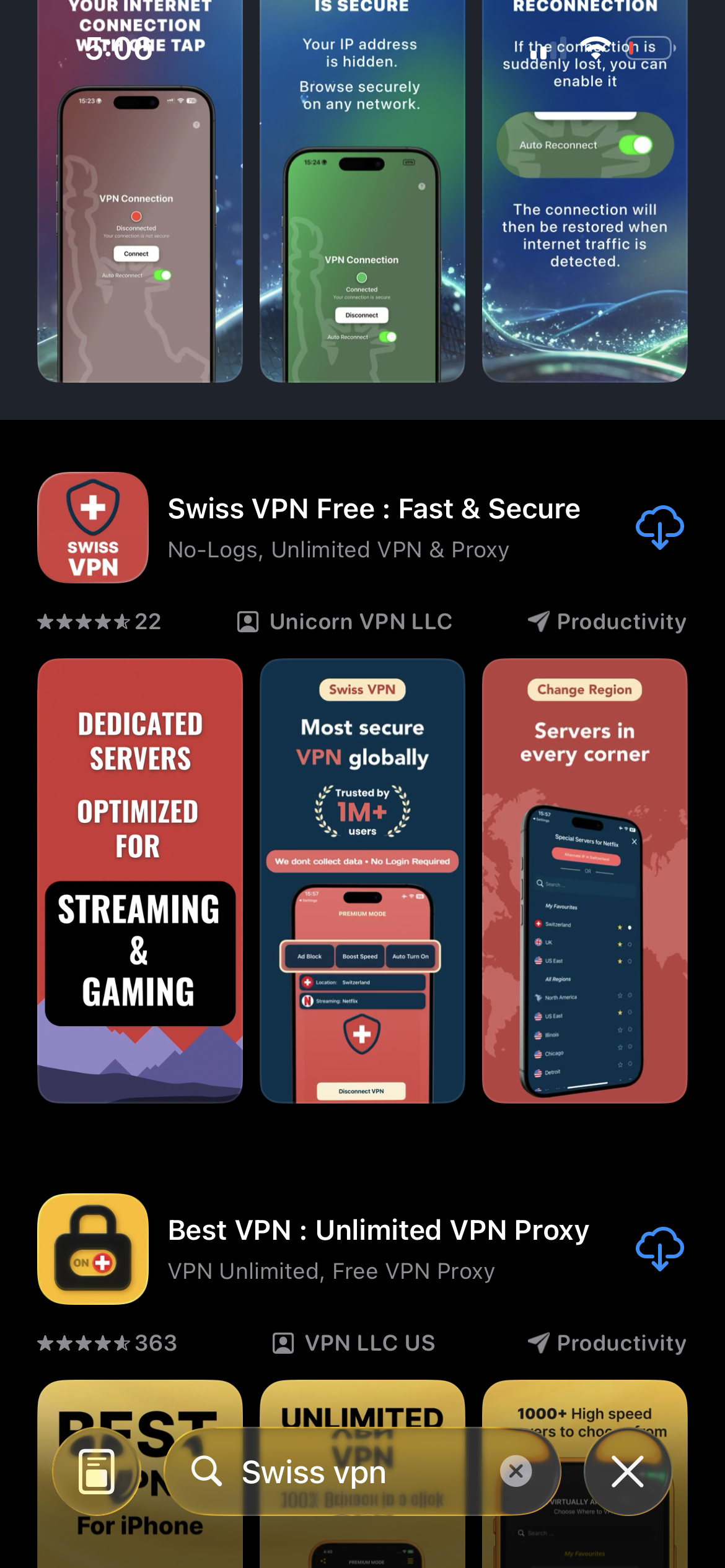
Download Swiss VPN
Search for "Swiss VPN" on the App Store and tap download. The app is completely free — no registration, no credit card, no personal information required.
- Available on iOS, iPadOS & macOS
- No registration required
- 100% free to download
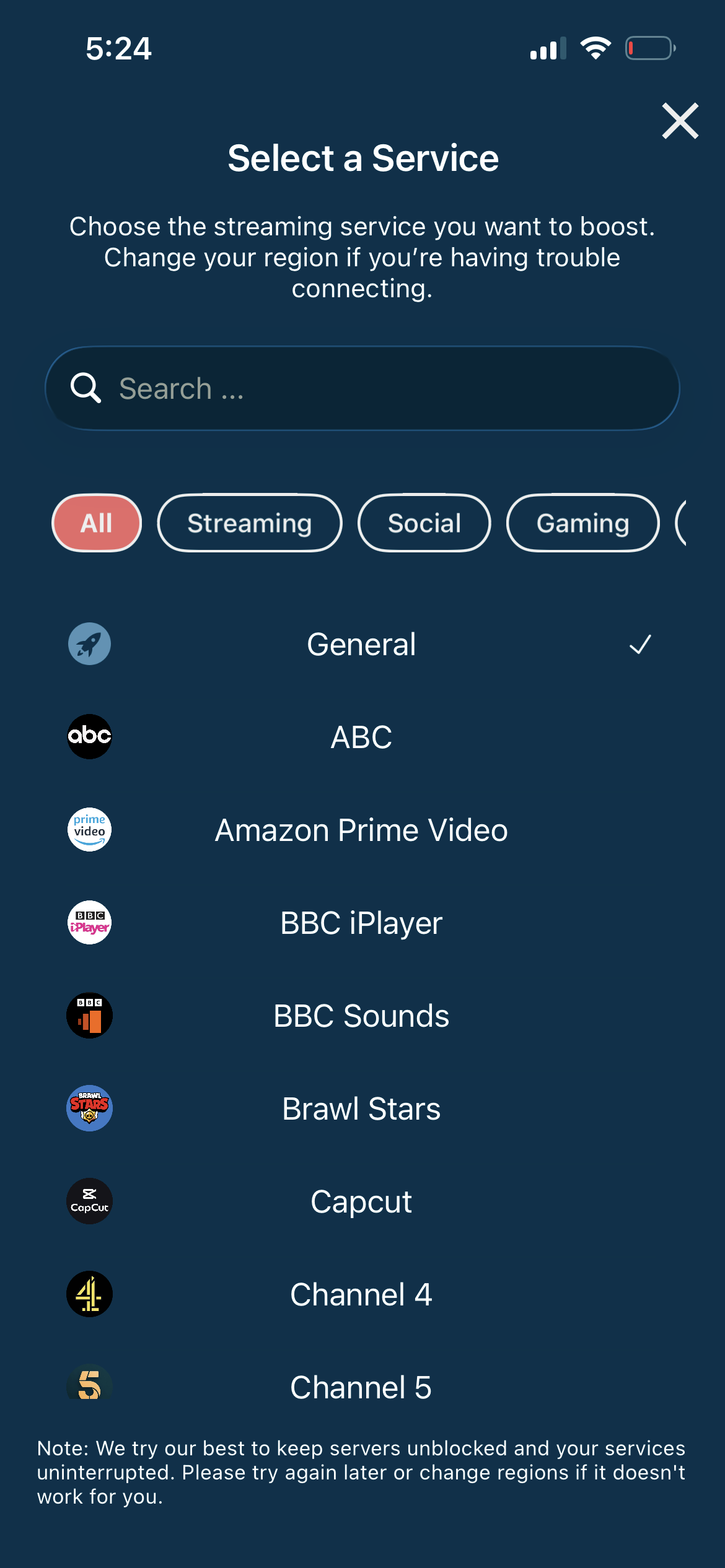
Pick WhatsApp in the selector
Swiss VPN has WhatsApp in its optimized-services list, so it routes through a server known to keep WhatsApp's chat and calling traffic working.
- Server tuned for WhatsApp VoIP
- Low-latency route for calls
- One tap — no manual config
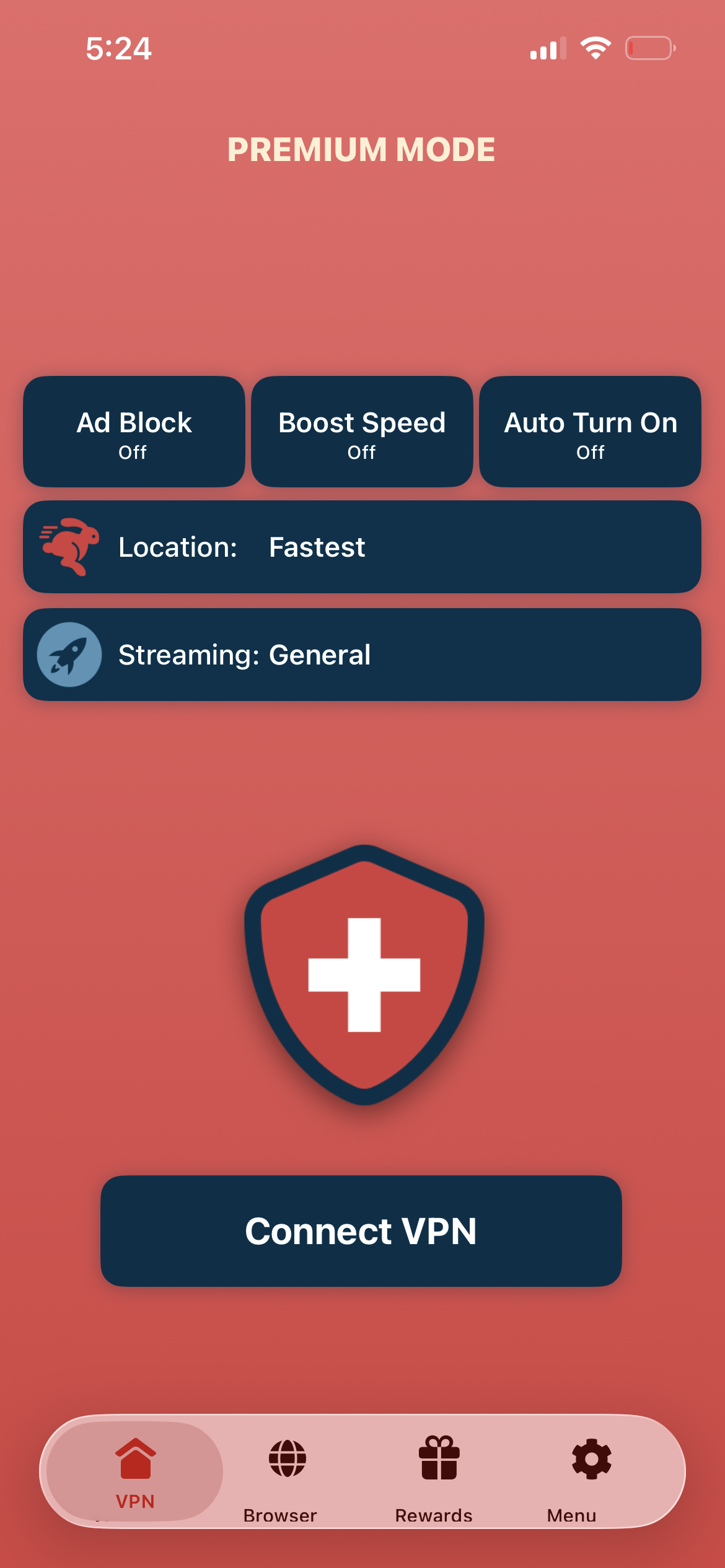
Tap connect, open WhatsApp
Tap "Connect VPN" and open WhatsApp. Messages sync, and voice and video calls go through on networks that would normally block them.
- Messages and media sync
- Voice and video calls connect
- Encrypted connection end-to-end
If WhatsApp still won't connect
Try a different server region — some countries block VPNs more aggressively than others. Force-quit and reopen WhatsApp after connecting to Swiss VPN so it re-registers with the new network. If calls still fail, switch from Wi-Fi to mobile data (or vice versa) and reconnect.
Good to know
- WhatsApp messages and calls are already end-to-end encrypted — Swiss VPN adds metadata privacy, not message privacy.
- A few countries and some networks actively detect VPNs. Swiss VPN uses obfuscated servers, but rules change often — try another server if one is blocked.
- WhatsApp ties your account to a phone number. A VPN does not change your number or give you a virtual one.
- For the smoothest call quality, connect to the nearest available server.
Frequently Asked Questions
Why use a VPN for WhatsApp if chats are already encrypted?
Encryption protects the contents of your messages, but your ISP or Wi-Fi admin can still see that you are connecting to WhatsApp. A VPN hides that, restores access where WhatsApp is blocked, and unlocks voice and video calls on restricted networks.
Can Swiss VPN unblock WhatsApp calls on hotel or office Wi-Fi?
Yes. Many hotels, airports, universities and offices block WhatsApp's VoIP ports. Swiss VPN tunnels that traffic inside an encrypted connection, so the network only sees a VPN — the calls go through.
Which countries currently block or restrict WhatsApp?
China blocks WhatsApp entirely. The UAE, Qatar, Saudi Arabia and parts of the Middle East have long restricted WhatsApp voice and video calls. Policies change — if WhatsApp stops working while you travel, connect Swiss VPN first.
Do I need a new WhatsApp account to use it with a VPN?
No. Your existing account keeps working. Swiss VPN only changes how your phone connects to WhatsApp — your number, contacts and chat history stay exactly the same.
Keep WhatsApp working, wherever you go
Download Swiss VPN free from the App Store and use WhatsApp messages and calls from anywhere — blocked countries, hotel Wi-Fi, or just from a network you'd rather not trust.